


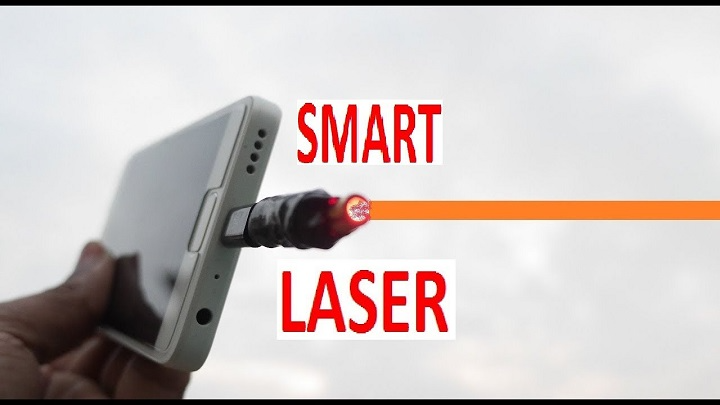
Smartphones are no longer just communication gadgets. Today, they serve as instruments for work, education, entertainment and much more. Aside from all fun uses of these creative tools, the Laser Pointer App is one functionally very useful tool. Created with the real laser pointer effect as that of appearing a real laser point! Such an amazing simulation design app for a flashlight and screen effects; this cool application has been downloaded and installed everywhere- including classroom, office room, or living room. .Laser Pointer simulates the typical way a real laser point is reflected by projecting the light on your phone screen.
But is a laser pointer app really as effective as the real thing? How safe is it for your device and eyes? and does it even have a real-world use? In this in-depth guide, we will describe what is a laser pointer app, how it works and functions, its features, advantages, disadvantages and whether or not it’s safe for use as well as an app worth installing on your phone.
What Is a Laser Pointer App?
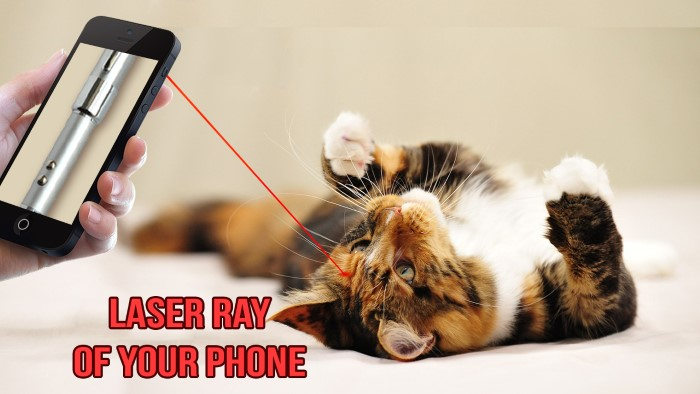
A laser pointer app is an application that simulates the functionality of a traditional laser pointer but without actually needing to have a physical device. Rather than address a genuine laser beam, the app emits a bright, focused dot on your screen or uses the phone’s built-in flashlight combined with visual overlays to simulate laser movement.
Such apps are commonly used for presentations and classroom demonstrations, interactive play with pets, or just as a fun visual effect. They don’t shoot a real laser beam, but the hologram can be good enough to fool in some scenarios, particularly when it’s not in broad daylight.
How a Laser Pointer App Works
Unlike a physical laser, the laser pointer app is entirely based on software not hardware. A vast majority of them use a mix screen brightness, color contrast, animation effects and in some cases the device’s flashlight to generate an effect pretending to be a moving laser dot.
As you move your phone around, the app adjusts to reflect the movement on the screen or to cast light ahead. Users on some apps can change factors like color, size, speed and glow effects to make the laser pointer look more realistic. Because it’s software-based, the app does not actually produce a laser beam, but it can still be pretty cool looking if used in a counterbalanced environment.
Shared characteristics of Laser Pointer Apps
Many laser pointer apps provide customization settings which enable the user to adjust effects. Users are usually able to select between red, green, blue, or purple laser build colors as well as change brightness levels and dimmer or strobe effects. Some apps even feature a sound effect that simulates the click of a real laser pointer.
Advanced ones may have a presentation mode, to mark off what you see on the screen during a meeting or lecture. Others emphasize entertainment, specifically for pets, using random movement patterns to persistently engage animals.
The Uses of a Laser App in Real Life
If you think there’s no practical use for a laser pointer app, well … you’re probably right. Teachers and instructors can use them to emphasize a particular area of the screen during small presentations or one-on-one learning. Students might use them to rehearse presentations or express ideas visually.
Pet owners commonly use these apps to amuse cats, as the little moving dot is a way of bringing out natural hunting instincts. Also, some people just like the novelty of having their phone turned into a Swiss army knife.
Downsides vs. an Actual Laser Pointer
And as useful as they are, laser pointer apps have some obvious drawbacks. They are low-powered and don’t project a concentrated beam of light, so they aren’t great for long-range pointing or in bright settings. Visibility will be quickly compromised by either sunlight or strong indoor light.
Another limitation is projection. The laser effect is based on the phone screen inhuman infrared light, and not powerful as the emiting from a physical laser. For professional presentations in big rooms, an actual laser pointer is still more reliable.
Safety Considerations
One reason that laser pointer apps are great is safety. Actual laser pointers can be eye hazards especially models with high power. The danger just vanishes because the app for laser pointer doesn’t produce real laser radiation.
But extended exposure of max screen brightness or flashlight mode will potentially lead to eye strain,or draining the device”s battery. It is not advisable to project bright light directly into users’ eyes and take breaks after prolonged use.
Is Using a Laser Pointer App Safe?
Generally speaking, laser pointer apps are safe to use as long as you download them from a legitimate app store. And they’re not looking for any more access “than simply your camera and flashlight.” Like with any app, users should carefully scrutinize permissions and avoid apps that seek unwarranted access to contacts, storage or personal information.
If you use flashlight continuously then battery drain and device heating are normal but manageable to a certain extent, keep torch on my friend.
Free and Paid Laser Pointer Apps
The majority of laser pointer apps are free and supported by ads or optional upgrades. Free editions merely cover basics, but work well for casual use. Paid versions could get rid of the ads as well as unseal new color or a more smoother animation.
And, safety- and usability -wise, free and money-grubbing apps are equally trustworthy as long as they’ve been well-written. The issue of being free is less important than the quality and frequency of this update if you’re picking an app with good reviews.
Who can benefit from a Laser pointer app?
Laser pointer apps are great for the laymen who want a visual aid on an informal basis without wanting to lug around extra hardware. They are great for teachers who are working in small groups, pet owners, students and onlookers who are interested in fun phone applications.
But pros used to addressing large audiences may still favor the traditional method of employing a physical laser pointer for pinpoint precision and projection brightness.
When a Laser Pointer App Just Isn’t Cut Out for the Job
Laser pointer apps can fall short in bright conference rooms, outdoors or when precise accuracy is needed. They are also not good for scientific and industrial use where the actual laser operation is desired.
Knowing these limitations could prevent frustration and add up to the right decision when selecting the proper tool for you.
FAQs
Is a laser pointer app an actual laser?
No, it does not brave real laser light. It creates a laser effect through your screen and flashlight.
Is a laser pointer app bad for your eyes?
It’s far safer than an actual laser, but be cautious about shining bright light directly into eyes.
Do laser pointer apps work in the daytime?
They also perform less well in the (bright) light and function best in low or indoor light.
Do laser pointer apps use battery?
Yes, particularly if the flashlight or high screen brightness is in constant use.
Can you download a laser pointer app safely?
Yes, when downloaded from official app stores and permissions are checked.
The laser pointer app is just one such simple yet clever example of how smartphones could do the task of our traditional tools. It will not be as powerful or sharp as a laser pointer, but it is a safer and free alternative for casual use.
For the less serious occasions when you need a laser pointer, such as during presentations, showing off or just for fun, a laser pointer app can be surprisingly useful. Its greatest assets are convenience and safety, making it ideal for all ages. But just like any other tool, the key to using is knowing its limitations.
In other words, if you want a light utility to have fun with and add one more thing your phone can do with no added hardware, then a laser pointer app is worth the download. Just be mindful of brightness, battery and expectations.