


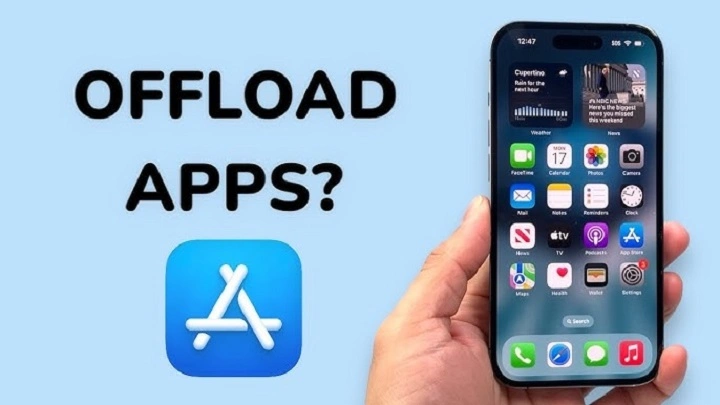
Even though modern-day smartphones offer plenty of capabilities, one thing is for sure: storage always comes at a premium and that goes double if you own an iPhone. Photos, videos, apps and system data can take up your device from the inside out, causing lag, slow performance and storage space warnings. This is where the idea of offloading an app comes in very handy. Many people find the option in their iPhone settings and are not quite sure what it does — or how it is different from simply deleting an app.
An app offload is a way of making sure you don’t lose the important bits and bobs, whilst having extra room to download more stuff you will definitely use once or twice. Rather than delete everything, it guards your personal information while uninstalling the app and deleting its data temporarily. By knowing how this feature works, you can better deal with storage without compromising convenience.
What Is Offloading an App?
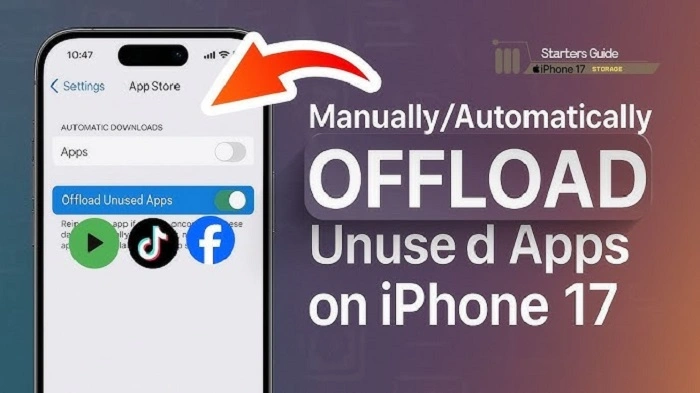
To offload an app is to delete the app from your iPhone while retaining its data, documents and settings on the device. Once you offload an app, the app icon will still appear on your home screen, but the app won’t be installed. There’s a little cloud icon next to it, which means you can reinstall the app at any time.
Later, when you tap the app again, your iPhone re-downloads it from the App Store and reinstalls all of your data as if nothing ever happened. That sets offloading apart from deleting an app, in which case both the app and its data are permanently gone unless you backed it up somewhere.
Why Apple Introduced App Offloading
The app offloading feature was something Apple added to solve a problem that many users face: there’s not enough storage. Many users download apps that they don’t regularly use, such as travel apps, event-based apps or seasonal tools. Those apps may languish unused for months, but still manage to take up precious space.
It also enables the system to let go of unused apps automatically or manually with user data retained. This is a better way to get your device back in running order, less stress on storage, without the annoyance of having to set up apps from scratch again.
Behind the Scenes: How App Offloading Works
When an app is offloaded, iOS deletes the binaries that consume the most space. But it stores documents preferences and user-generated content locally on the device. That way, we do not discard anything that is of relevance.
The app is still known to the App Store as an app owned by your Apple ID. When you reinstall, the system downloads the latest version and associates it with your saved data. This frictionless experience makes offloading feel more like pausing an app than deleting it.
What’s the Difference Between Offloading and Deleting an App
Although each allows you to free up storage space, offloading an app and deleting it are not identical actions. Uninstalling an app wipes all of that away, save for anything stored on a remote server, and if you’ve downloaded it once before from the same account. If you do reinstall later, you need to get out while the getting’s good.
Offloading, in contrast, retains all private data. It’s perfect for apps you don’t frequently use but want to have on hand the next time an opportunity comes up. This is why offloading is particularly useful for applications with large sizes or significant amounts of local data.
When to Ditch an App
Offloading is especially helpful when your iPhone is running out of room, but you don’t want to delete an app permanently. It’s great for apps you open only occasionally but want to keep around in case, like banking and airline apps or productivity utilities.
It could also be useful if you want to increase performance without losing apps that you’ve already customized over time. Rather than having to manually clear caches, delete photos, offloading can easily have bring back space when you need it with almost zero effort.
Manual vs Automatic App Offloading
You can offload apps manually as well as automatically in iOS. You can select which apps to offload manually via the iPhone’s storage settings. This way you totally control whether an App is to be kept installed.
Automatic offloading occurs when the “Offload Unused Apps” option is turned on. In this case, iOS recognizes apps you haven’t used in a while and offloads them behind the scenes when storage is scarce. Your data is safe, and you can reinstall whenever.
How to Offload an App on iPhone
To manually offload an app, you visit Settings, then General, and finally iPhone Storage. Once you’ve selected an app, you’ll find the option to offload it. When you accept, the app gets deleted, but data is preserved.
This process takes just a few seconds and can make a big difference in storage space, especially for large apps including games or media editors.
Benefits of Offloading Apps
One of the advantages of offloading apps is that it keeps your storage optimized. It enables you to take back space without losing your memories, settings, or files. That’s why it’s a less drastic companion to app delete.
Another benefit is convenience. And because your information is stored, reinstalling an app is fast and easy. You don’t have to log in all over again or reconfigure preferences, which can save time and minimize consternation.
Offloading also provides better performance of devices. Optimize your iPhone performance by having fewer active apps installed, since it will be able to run smoother and quicker as well as manage resources more wisely.
Limitations of App Offloading
Although offloading is helpful, there are some limits to offloading. To reinstall an offloaded app, you must have an internet connection. And if you’re offline while needing to use the app urgently, the app will remain inaccessible until it’s re-downloaded.
Plus offload doesn’t clear data-type storage at all in some instances including a couple of temp file for system processes caches. It’s a space-saver, not an all-out cleaning product.
Offloading Apps vs Clearing Cache
Offloading is often mistaken for clearing cache by many users. Clearing cache will delete temporary files that were created by apps while offloading deletes the app but keeps important data.
Offloading works better for clearing a ton of space; cache clearing is great if you just need extra elbow room, or in case an app starts giving you trouble. Both of these can be combined to achieve improved storage management.
Who Should Use App Offloading?
App offloading is perfect for iPhone users with only a little bit of storage — all 64GB or the meager jump up to 128GB. It is also handy for those who install lots of apps you only use a few of on a regular basis.
Frequent travelers, particularly those who deal in large files or take lots of photos, may also benefit from offloading unused apps to free up space without losing anything critical.
FAQs
Will my data be lost if the app is offloaded?
No, when you offload an app will only remove the app and leave all of data and documents saved in your device.
Can I use an app that’s been offloaded?
No, you will need to reinstall that app. Hit the icon to download it again.
Does offloading an app free up significant space?
Yes, particularly for large apps like games or editing software.
Is offloading the same as deleting an app?
No, delete actually deletes the app and its data while offload only loses the app.
Can offloaded apps update automatically?
No the app needs to be reinstalled in order to update it.
If you need to save space on your iPhone quickly, deleting an app is often a good place to start. It strikes an ideal balance between reclaiming space and not losing anything important. Now, instead of having to choose between storage and convenience, Apple’s offloading feature offers a smart compromise.
If you are someone who often runs out of storage but doesn’t want to get rid of apps permanently, offloading is a feature you should start using. It maintains the slim profile and glorious display brightness of your iPhone, and was wisely designed without excessive trade-offs to make sure you get everything you want (and none of what you don’t).