


Close Menu
Appstasm.comAppstasm.com
  • Home
  • Android Apps
  • Games
  • Guide
  • IOS Apps
Facebook X (Twitter) Instagram
  • Privacy Policy
  • Contact Us
Facebook X (Twitter) Instagram Pinterest Vimeo
Appstasm.comAppstasm.com
  • Home
  • Android Apps
  • Games
  • Guide
  • IOS Apps
Subscribe
Appstasm.comAppstasm.com
Home - Guide - How to Delete an App on Roku: What You Need to Know
Guide

How to Delete an App on Roku: What You Need to Know

By RomeroMay 22, 2025Updated:May 22, 20253 Mins Read
Share Facebook Twitter Pinterest LinkedIn Tumblr Reddit Telegram Email
how to delete an app on rokuc
Share
Facebook Twitter LinkedIn Pinterest Email

Deleting apps on your Roku device helps you manage your streaming channels, clear clutter, and improve navigation. This guide explains the simple steps to remove an app (also called a channel) from your Roku device using your remote or mobile app.

What Is an App on Roku?

Roku Apps Explained

On Roku, apps are called channels. These channels let you stream movies, TV shows, music, and more. You can add or remove channels anytime based on your preferences.

Why Delete an App on Roku?

  • Remove unused or unwanted channels
  • Free up space and declutter your home screen
  • Improve Roku device performance and usability

How to Delete an App on Roku
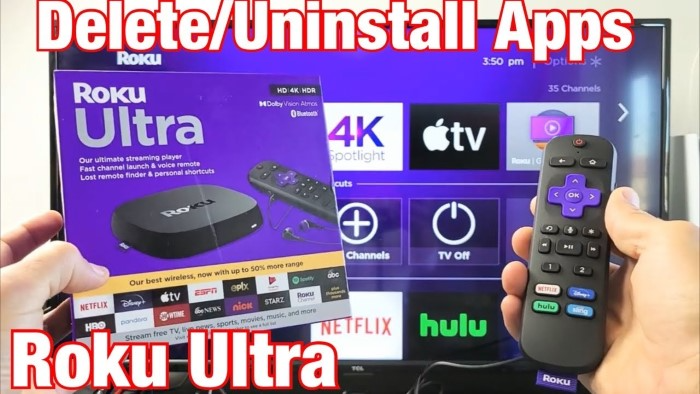
How to Delete an App on Roku

Using Roku Remote

  • Press the Home button to go to the Roku home screen.
  • Use the arrow buttons to highlight the app (channel) you want to delete.
  • Press the Star (*) button on your remote to open the options menu.
  • Select Remove channel from the menu.
  • Confirm by selecting Remove again. The app will be deleted.

Using Roku Mobile App

  • Ensure your mobile device is connected to the same Wi-Fi network as your Roku device.
  • Open the Roku mobile app on your smartphone or tablet.
  • Tap Devices and select your Roku device.
  • Tap Apps on Roku to view installed channels.
  • Find the app you want to delete, press and hold it.
  • Tap Remove channel to delete the app.

Important Notes

  • Some pre-installed Roku channels cannot be deleted.
  • If a channel has an active subscription, you must cancel it before removal.
  • Removing a channel does not delete your account with the app provider.

Troubleshooting Tips

  • Restart your Roku device if removal does not work immediately.
  • Check for Roku system updates to ensure smooth operation.
  • If issues persist, consider resetting your Roku device as a last resort.

FAQs About Deleting Apps on Roku

Can I recover a deleted app?

Yes, you can reinstall any deleted app from the Roku Channel Store anytime.

Will deleting an app cancel my subscription?

No, deleting the app does not cancel subscriptions. You must manage subscriptions separately.

Can I delete pre-installed apps?

Some pre-installed apps are mandatory and cannot be deleted.

Does deleting apps improve Roku performance?

Removing unused apps can help reduce clutter but has minimal impact on performance.

Can I delete multiple apps at once?

No, you must delete apps one by one using the remote or mobile app.

Deleting apps on Roku is quick and easy using either the remote or Roku mobile app. Regularly managing your channels helps keep your Roku home screen organized and ensures a better streaming experience.

Share. Facebook Twitter Pinterest LinkedIn Tumblr Email
Previous ArticleHow to Delete an App on Roku TV: What You Need to Know
Next Article Social Media Chat Dating App Notification Symbols: What You Need to Know
Romero
  • Website

Romero is a tech enthusiast and the voice behind Appstasm.net. With a keen eye for innovative apps and a passion for digital solutions, Romero brings readers the latest insights, reviews, and tips to enhance their tech-savvy lifestyles.

Related Posts

Guide

How to Delete an App on Roku TV: What You Need to Know

May 22, 2025
Guide

How to Delete an App on Roku Home Screen: What You Need to Know

May 22, 2025
Guide

Comprehensive Guide: How to Uninstall Apps on iPhone and Optimize Your Device’s Performance

April 16, 2024
Add A Comment
Most Popular

How to Block Apps on App Store: A Complete Guide for iPhone and iPad Users

January 8, 2026

Dark Mode Kindle App: How It Works, Benefits, and How to Enable It

January 8, 2026

How to See App Usage on iPhone – A Complete Guide to Screen Time and Activity Tracking

January 7, 2026
Our Picks

How to Update Apps on Roku TV: A Complete Guide

January 12, 2026

How to Uninstall PC App Store: A Complete Step-by-Step Guide

January 12, 2026

Google App vs Chrome: What’s the Real Difference and Which One Should You Use?

January 9, 2026
Top Posts

Universal Adjustable Bed Remote App: A Complete Guide for Smart Comfort Control

January 9, 2026

How to Unlock an Authenticator App: A Complete Step-by-Step Guide

January 9, 2026

Ko-fi App: A Complete Guide for Creators to Earn Support and Build Community

January 8, 2026

Subscribe to Updates

Get the latest creative news from FooBar about art, design and business.

Facebook X (Twitter) Instagram Pinterest
  • Privacy Policy
  • Contact Us
Appstasm.com © 2026 All right Reserved

Type above and press Enter to search. Press Esc to cancel.