


When you think of surfing the “mobile web,” Google’s Chrome browser is likely to spring to mind. But a lot of users are missing out on another powerful tool that’s already free and available—if you use an Android device or iPhone—at their fingertips: the Google app. Both appear to do similar things at first glance — searching the web, opening links and assisting you in finding information. But the truth is, Google App and Chrome are pretty different with different browsing behaviors in mind.
The difference between the Google App and Chrome will make your mobile life much easier. If you care about speed, privacy, multitasking, personalized content or battery life, the app makes a difference. In the post, I’ll discuss Google App vs Chrome in detail including what both have to offer, their strength and limitations along with how you can use each so that you are aware of which one would be better for your day-to-day use.
What Is the Google App?
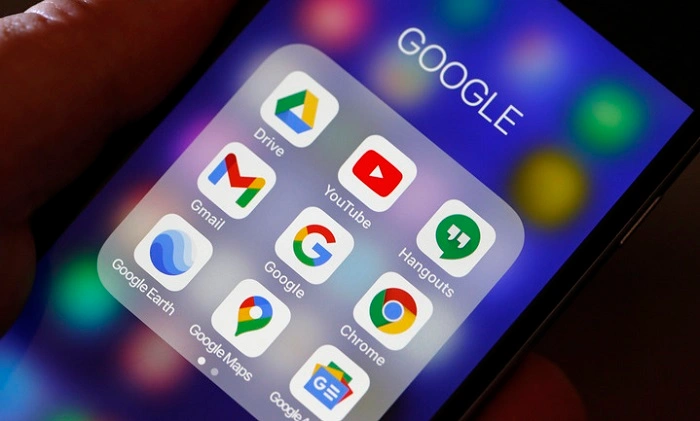
The Google App is more than just search. It is a custom information center for your Google account. Rather than being just an end point to click into new websites, the app is meant to offer content driven by what Google believes will interest you individually, drawing from your search history and location in addition to your activity across Google services.
When you open the Google App, you are presented a Discover feed. “It includes news articles, trending topics, sports updates, weather forecasts, financial information and entertainment content customised for you.” Additionally, the app includes Google Assistant, voice searches, Google Lens and live updates.
The Google App is not a full featured web browser, it does not prioritize tab management or long browsing sessions. Instead, it’s a kind of information launchpad that helps users find out things today: they search or skim content for a few seconds before jumping back to whatever they were working on.
What Is Google Chrome?
Google Chrome is the most popular open source web browser by Google. It also supports tabs, bookmarks and extensions (on desktop), password management, form auto-fill and cross-platform syncing of settings. Chrome is designed for people who need a common mobile experience on phones and tablets along with multiple devices like desktops.
On smartphones, Chrome essentially mimics the desktop browser interface, applying mobile-friendly design for resizing web pages to make reading more conducive and providing easy access to tabs as well as saved data from your Google account. Chrome has likewise earned a reputation of being fast, compatible with present-day web contents, and well-supported by developers.
Though Chrome has a Discover feed on its mobile homepage, it’s still fundamentally more of a browser than a content-focused app.
Heart of the Matter: Google App vs Chrome
The difference between the Google App and Chrome are very simple and it has to do with the functionality. This (the Google App) is more oriented around discovery and quick information access, while Chrome focus on reading and navigating.
Google App is perfect for people who prefer to get updates versus search. It predicts your need-to-knows and arranges them in an easily scrollable feed. Chrome, by contrast, is designed for users who already know where they want to go online and want to be in complete control of their browsing sessions.
Also Read: How to Add Spectrum App to Samsung TV
User Interface and Experience
With the search bar and Discover feed at its core, the Google App has a clean and minimal UI. It’s easy to navigate, with tabs for search, updates and saved content that make it cleaner and easier to use than Facebook itself. The app feels nimble and tailored for short engagements.
Chrome has a standard browser layout. The users are also allowed to open numerous tabs, switch between the standard and incognito modes, manage downloads and change settings. Chrome’s interface is stripped down for a reason but is therefore obviously more complicated because of its extended functionality.
The Google App is more casual and less cluttered feeling for the general user. For some of us, Chrome is more flexible and gives better control.
Search Experience and Speed
Both apps tap into the Google search engine, so the quality of search results will be very similar. Yet, the way results are reported vary.
Google App can frequently share summarized information, featured snippets or cards you can browse to get answers without opening up the full web pages. This speeds up the process for fast lookups — say, weather updates, sports scores or simple questions.
As a rule, Chrome loads full web pages, which is preferable for extended reading, researching and comparison shopping. Chrome is fast but requires more tapping than the instant-answer interface of the Google App.
Personalization and Discover Feed
It is Personalization where the Google App shines clearly. The Discover feed adjusts to your activity and changes as you interact with it. If you consume a lot of news about technology, finance, sports or entertainment, you’ll see plenty of similar stories in the app.
Chrome does have a Discover feed on mobile, but it is less of the main event there. On Chrome, the feed takes a step back and is optional while in the Google App it is front and center.
For people who like to know everything without having to look for it, there’s the Google App.
Tab Management and Multitasking
Chrome excels in multitasking. You are allowed to open dozens of tabs, group them, move between devices and can even get back closed tabs. Now you can do work, research and browse on your computer for long periods.
There are no real tabs per se in the Google App. Links open in the app, but users are restricted in their ability to manage multiple pages. That’s no news, and further underlines its nature as a quick-access tool rather than a full browser.
Privacy and Incognito Mode
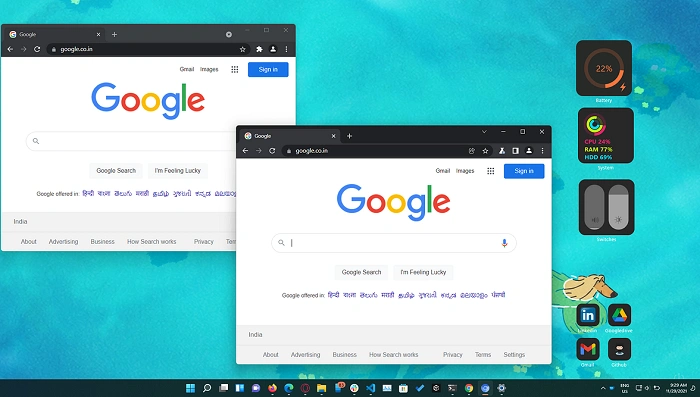
Chrome has built-in Incognito mode which doesn’t record your browser history, cookies and site data so it won’t store what you visit on your machine. This is a very popular feature for private browsing.
Google App lacks sufficient privacy features and you won’t actually get the complete incognito mode experience like in Chrome on your mobile. And you can also control your activity via your Google account, but for those users who are interested in session-level privacy, Chrome is the way to go.
Battery and Performance Impact
Overall, the Google App has less system overhead. Because it zeros in on quick hits and less page loading, it can suck a little bit less rain out of the battery bank when used casually.
Chrome can be resource-intensive, especially with several tabs open or media-heavy sites loaded. Battery consumption may be higher on your device during long time browsing.
Integration with Google Services
The two apps also pair nicely with Google’s own services, such as Gmail, Maps, Drive and YouTube. Although, the Google App has better Assistant integration and is more capable when it comes to voice commands, reminders and real-time.
Where Chrome’s integration really shines is in its ability to sync bookmarks, passwords and browsing history across devices—great for frequent mobile-to-desktop switchers.
Which One Should You Choose?
The decision between the Google App and Chrome is entirely based on how you use your phone. For those who value speed over personalization or human interaction, the Google App is perfect. If you depend on full strength web browsing, multitasking, privacy and cross device sync, Chrome is the better choice.
Most people consider using both apps simultaneously for the best tool and feature set from each app without marginalizing either.
Frequently Asked Questions (FAQs) About Google App VS Chrome
What is the difference between Google App and Google Chrome?
Google app is not, it has to do with search and personal content. Chrome, being intended for extended web browsing functionality is a full web browser.
Is it possible to surf the web in Google App?
You can open websites via search results, yes, but tab management and browsing controls feel minimalist compared to Chrome.
Which app is more privacy-friendly?
Chrome has better privacy tools, such as Incognito mode and more advanced cookie controls.
Do Google App Save More Battery Than Chrome?
In general, yes. The G App is a little friendlier on battery for a wee bit of casual browsing.
Why is Google App and Chrome even required?
You don’t need both, but many people use each for a different purpose.
The Google App and Google Chrome are built according to different rationales, even if they belong in the same ecosystem. Google App is engineered for discovery, ease of use, and personalization while Chrome is engineered for control, productivity and feature-rich browsing. That’s not to say one app is objectively better; it depends on your processes and expectations.
For most people, the merging of both apps results in a seamless experience—fast and quick look-ups on Google App, while saving deeper browsing for Chrome. Knowing how they differ can help you use either tool more efficiently and open up your smartphone to be all it can be.