


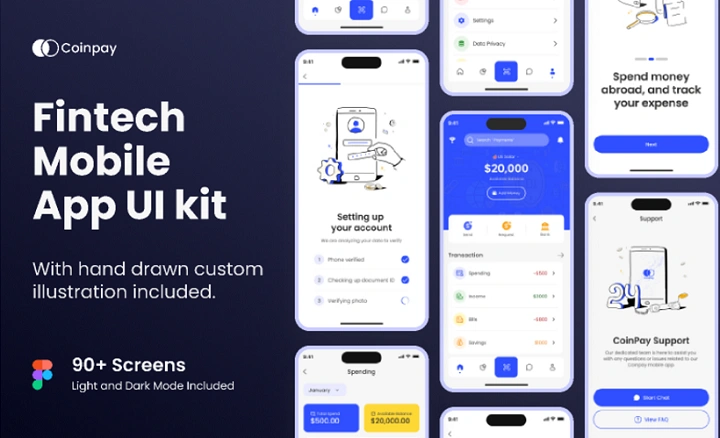
No one’s going to tell you this but when it comes to creating a mobile app from scratch, it can be time consuming, expensive and spiritually draining — particularly if the timeline is tight or expectations are high. That’s where a Figma mobile app template comes into play. Rather than building from scratch, designers and product teams save time using pre-built UI kits to speed up the design process without sacrificing consistency or quality.
Figma is now one of the leading design tools in the world, and its mobile app templates are being used by freelancers, startups and even enterprise teams. From Android app designs to iOS, and cross-platform applications – it is faster than ever with Figma mobile templates.
In this post, we will discuss what a Figma mobile app template is and how it works, the advantages and use cases of this type of solution as well as its limitations and which template to choose for your project.
What’s a Figma Mobile App Template?
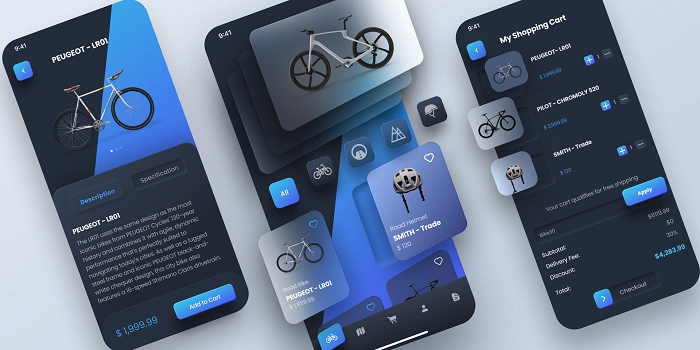
A Figma mobile app template is a pre-built group of mobile UI screens built in Figma. Such templates generally comprise of common application components such as onboarding screens, login pages, dashboards, profile pages, navigation bars, buttons, forms and settings screens.
Rather than painstakingly creation-specific screens every time, designers can simply copy-paste-inspirations whose looks would work for their own application, then alter to match the brand/product and maintain a user flow. The majority of templates are designed using the latest modern UI/UX practices and are implemented with auto layout, components, symbols and so much more which means they’re super simple to adjust scale or update.
Figma mobile app templates are tailored to the same platforms that their native counterparts are, iOS (Human Interface Guidelines), Android (Material Design) and cross-platform applications.
Why Figma Mobile App Templates are Used by Designers
And there is no coincidence, why Figma mobile app templates are so in-demand. They address some practical design problems.
First they reduce the time to design anything. What could hour to build by hand often requires only a single session when using a template. Secondly, templates are an ideal tool to maintain visual consistency between screens, something that is very important for a professional looking app. Thirdly, they enable teams to spend more time creating a good user experience and functionality and less on making the same UI again and again.
Templates are also excellent for those who aren’t designers (or beginners). When users swipe through components, spacing, typography, and layouts to understand how they’re built, it’s a low key way for users to get better at design.
Figma Mobile App Template
Below are some Figma resources that you can use to collate mobile app design templates What is the key to making a best mobile app UI design?
Usually, a high-quality Figma mobile app template comes with several features that are essential and make it usable for production.
The majority of templates feature fully customizable components — buttons, input fields, icons, and cards can all be mixed and matched across screens. This in turn means updates are faster and more guaranteed.
Auto layout support is another key feature that enables your elements to dynamically resize and adjust when content changes. This is especially handy in responsive design and localization.
Many templates also provide design tokens for color, typography and spacing. These tokens enable us to make changes to branding across an entire app in one place rather than having to update each screen individually.
Also, it’s not just about screens either – templates commonly provide prototype-ready interactions like clickable buttons and navigation flows. This provides the opportunity for teams to rapidly prototype user journeys and deliver interactive demos to stakeholders or clients.
How Figma Mobile App Template Works
It’s easy for beginners to get started on a figma mobile app template.
Once the template is opened in Figma, designers often get started by duplicating the file and adding it in their workspace. From there, they can tailor colors, fonts and logos to fit their brand. Screens can be reordered and removed or duplicated to suit the needs of your app.
Once the final UI is tailored to specifications, designers link screens together using Figma’s prototyping ability. This will give you a clickable prototype with a look and feel as if it were a real app. Designers can now easily analyze the design, grab measurements, colors and assets from Figma directly – with no more gap between designers and developers!
This process leads to faster iteration, more collaboration and easier handoff.
Why You Should Use Figma Mobile App Templates
Speed is one of the greatest benefits to using Figma mobile app templates. Moving from concept to prototype is much faster for teams, and speed matters in competitive markets.
Cost-effectiveness is another significant advantage. Instead of paying designers to create everything from scratch, businesses can begin with a template and tailor it as required.
Templates also work to maintain design consistency, so that all screens adhere to the same visual language and UX conventions. This results in better user interfaces and less usability problems.
Collaboration is another strong advantage. Because Figma is cloud-based, designers, developers and stakeholders can all collaborate in real time directly in the app, commenting on designs or offering up changes without having to export files.
Example use-cases for Figma mobile app templates
Mobile app templates for Figma are applicable across a variety of industries and types of project.
Startups commonly employ them to build MVPs fast and check the feasibility of an idea before starting development. Freelancers count on templates to handle projects more quickly, and keep quality consistent among clients.
Agencies use a template as the bones of a website that can be branded differently for each customer—saving time, but holding to design standards. Templates are used by Product teams for quick prototyping, user testing and internal demos.
They’re even using Figma templates from websites like ours to learn UI/UX design and for portfolio projects as a beginner.
Cons There are a few things that Figma mobile app templates can’t do.
However, Figma mobile app templates have their flaws.
One weakness of the templates is that designs can appear “generic” if they are overused and not tailored correctly. Source-dependent design apps Design app template dependency These should have enough original elements to maintain visual cohesion.
Some templates are also overloaded with features which might prove to be a headache for beginners. Customisation might be a bit overwhelming at the first sight, especially if you’re not used to Figma components and auto layout.
Also, not all templates are built with accessibility best practice in mind. Designers would still need to have appropriate contrast, readable font sizes and inclusive design principles.
Figma Mobile App Templates Free vs Paid
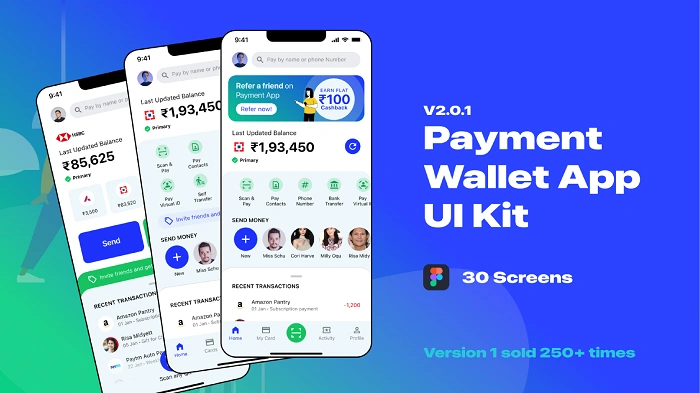
Here are free templates you can use as a beginner, student or small project. Generally they are made with basic screens and components which are just sufficient for simple apps or learning purposes.
Paid templates, however, tend to also come with advanced features like multiple app styles, dark and light modes, in-depth design systems, professional UI polish. They also usually get better documentation and updates.
The decision to go with a free or paid templates comes down to the scope of your project, and your design needs.
How to Pick the Perfect Figma Mobile App Template
When you choose a Figma mobile app template, think about the purpose of your app. A finance app, for instance, requires a vastly different UI architecture than a social media or health application.
You will also want to make sure that the template matches the platform you are targeting, either iOS or Android. The effectiveness of components and auto layout implementation is another important aspect to benchmark, this ease of customization and scale.
Lastly, always check out the screens before you use them to make sure they match your brand and user expectations!
Ways to Use a Figma Mobile App Template With Utility Tips
To ensure you get the most out of them, never use the template “as is”. Customize spaces, typography, and color themes to fit your company style.
Layer and component out early so you don’t get confused. When collaborating with coders, uniform names are good.
By testing with your prototype with real users, even at early stages, you can spot usability problems before building anything at all.
FAQs
Is the Figma mobile app template good enough for beginners?
Answer:Yes many templates are beginner friendly and can also help to get started with learning UI structure and best practices for new designers.
Can I use Figma mobile app templates for commercial purpose?
The vast majority of templates are for commercial use, but it’s always a good idea to verify the licensing terms first before using these in your client work.
Are Figma app mobile templates good for both iOS and Android?
Some are platform specific while others are cross-platform. Always verify before starting.
Is it possible to work with Figma templates for developers?
Yes, Figma allows developers to inspect designs, export assets and see specs directly from Figma.
Can you use free templates for real apps?
You can use free templates for basic projects, but most paid templates tend to be of higher quality and have more flexibility.
A Figma app design mobile template is one of the most effective tools to help you create a modern app. It’s a time-saver, it costs less, helps you to work together with your team and help those teams to spend more time solving real user problems, vs. chronic motion UI work.
Templates should not replace sensible design and user research, but they are a solid layer upon which to tweak. Used properly, Figma mobile app templates enable designers and companies to work faster and more efficiently without sacrificing any quality.
“game-changing” for any product manager or designer looking to build better mobile apps faster Figma templates aren’t just a luxury, they’re a competitive advantage.